Ever thought about creating your own class website? Have an innovative project you would like your students to share online? What about creating student e-portfolios?
Check out these 6 FREE Website builders, complete with templates and how-to videos and guidelines.
#1 Snap Pages
#2 Weebly
#3 Web
#4 Webnode
#5 Yola
#6 Wix (Flash)
Let your creativity inspire you!
Sunday, November 20, 2011
Sunday, November 13, 2011
THE GLOBAL EDUCATION CONFERENCE
Wow, what an amazing FREE world wide conference available to all, during the International Education Week, November 14th - 18th!
Check out the schedule and chose your time zone.
Looking forward to a great week of global learning!
Check out the schedule and chose your time zone.
Looking forward to a great week of global learning!


Saturday, November 12, 2011
Where I want to be in one less click!
Wow!
So maybe I might be a little behind the times, but I just discovered Google Apps!
I have heard of their Apps before and after a quick glance, I became aware that I was already using some of them. However, last night was the real discovery : life is much easier with Google Apps!
Basically, I chose all the Apps that correspond to my daily online usage and determined how using the app brings me to where I want to be in less time!
In addition to my daily usage apps, I found some really neat apps to use with my students:
Diigo Web
Type Scout
Evernote Web
Picasa
Prezi
Sketchpad
Typing Test - Key Hero
QR Code Creator
Weebly
Google Docs
For Language schools there is Google Translate
For teachers, the Webpage Screenshot app is awesome!
And many more...
Another great thing is that we already use Google Chrome as our Internet browser at school ( I would highly recommend you install Google Chrome on your school computers, especially if you also work with Google Docs). By adding educative apps to the Chrome home page, it makes it that much easier to share app links with our students. In addition, each app has its own image. Therefore, it is much easier to guide our younger students to where we want them to go.
Happy Apping!
So maybe I might be a little behind the times, but I just discovered Google Apps!
I have heard of their Apps before and after a quick glance, I became aware that I was already using some of them. However, last night was the real discovery : life is much easier with Google Apps!
Basically, I chose all the Apps that correspond to my daily online usage and determined how using the app brings me to where I want to be in less time!
 |
| Screen Shot of Google Apps! |
Diigo Web
Type Scout
Evernote Web
Picasa
Prezi
Sketchpad
Typing Test - Key Hero
QR Code Creator
Weebly
Google Docs
For Language schools there is Google Translate
For teachers, the Webpage Screenshot app is awesome!
And many more...
Another great thing is that we already use Google Chrome as our Internet browser at school ( I would highly recommend you install Google Chrome on your school computers, especially if you also work with Google Docs). By adding educative apps to the Chrome home page, it makes it that much easier to share app links with our students. In addition, each app has its own image. Therefore, it is much easier to guide our younger students to where we want them to go.
Happy Apping!
Sunday, November 06, 2011
Mind Maps
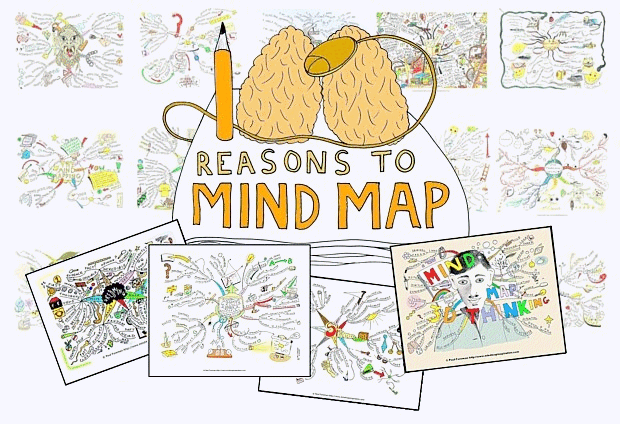
As a visual learner, I see the great importance in using mind mapping tools with my students when planning a project, when doing revision for a test and even when they need to write everything down that is in their head.
Before using mind maps with my students, I noticed that many times their ideas in their writing were disconnected, they would often go off topic or they would get stuck because they didn't know what to write about next.
With mind maps, students can link their ideas, insert images and even insert videos (depending on the tool they use). They can use colors and they can make their plan come alive. Students also tend to spend a lot more time on their "plan" when using mind mapping tool. Then, when it comes to writing, they are very prepared and feel more confident throughout the writing process.
http://www.mindmapinspiration.com/100-reasons-to-mind-map-paul-foreman/
 |
Another great thing about mind maps, is it good for all ages!
Here is a list of 5 FREE Mind Mapping tools available online:
https://bubbl.us/ - Brainstorming made simple
http://mind42.com/ - Collaborative mind mapping in your browser
http://www.mindmeister.com/ - The leading online mind mapping tool (MindMeister goes mobile: iPhone. iPad. Android.)
http://www.mindomo.com/ - Mind mapping made easy
http://www.wisemapping.com/c/home.htm - Visual thinking evolution
Here is a great tutorial on how to use these 5 mind mapping tools:
http://h30411.www3.hp.com/posts/1018306?mcid=Twitter
Happy mapping!
Subscribe to:
Posts (Atom)